Ramos Media Restoration

Bring meaningful photographs back to life.

Repair damage, restore faded color, and prepare treasured photographs to be shared, displayed, and preserved.

Restoration and Editing

Careful work for every kind of image

From repairing a damaged family photograph to completing a creative Photoshop edit, each image receives an approach based on its condition and purpose.

01

Photo Restoration

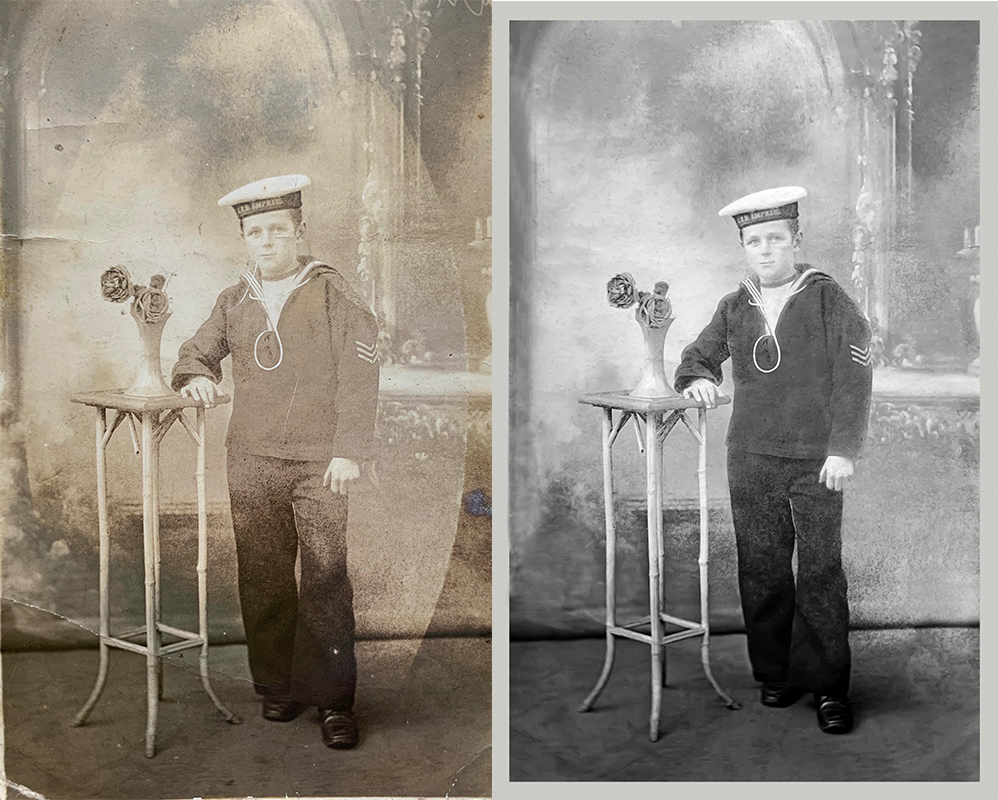
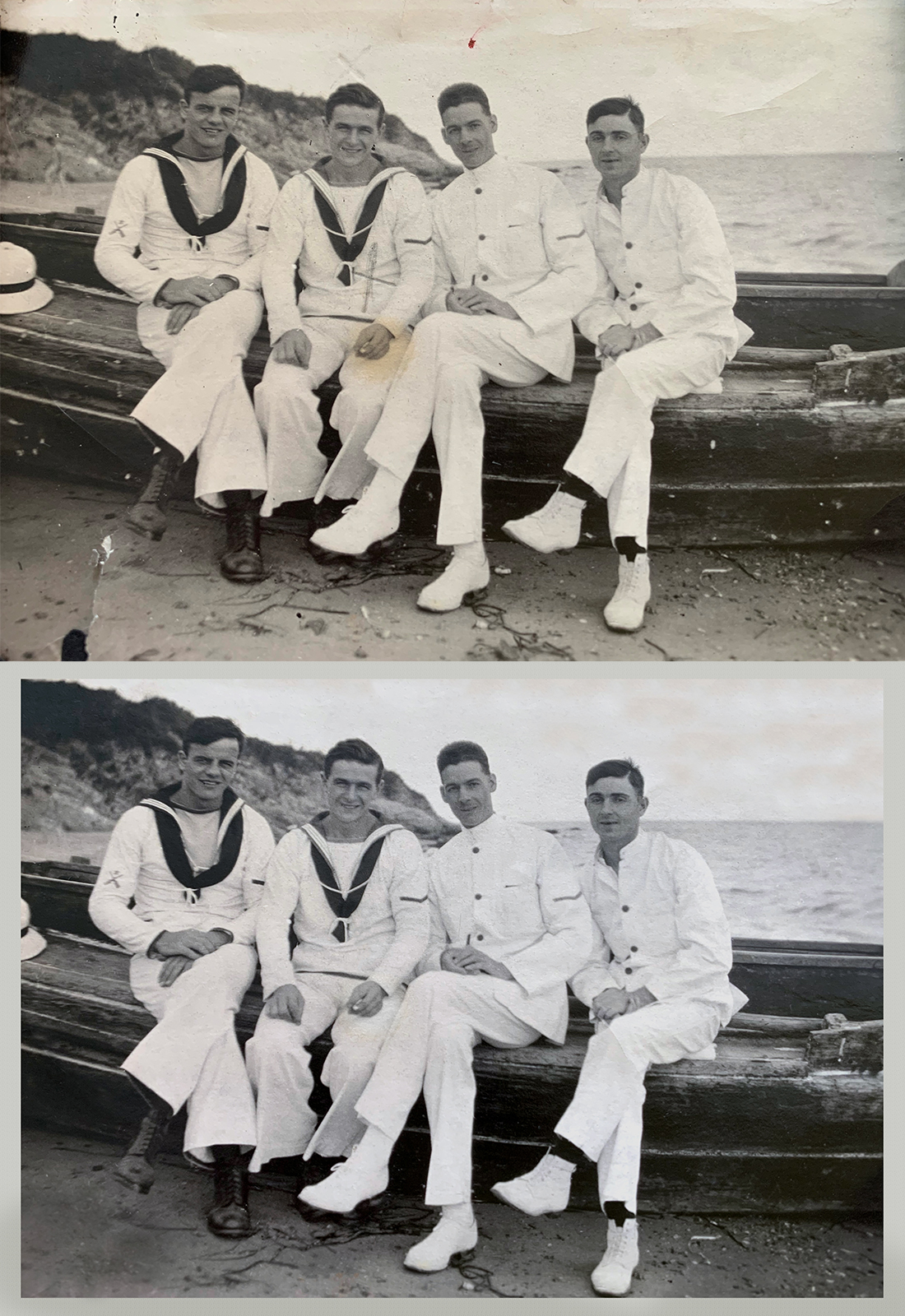
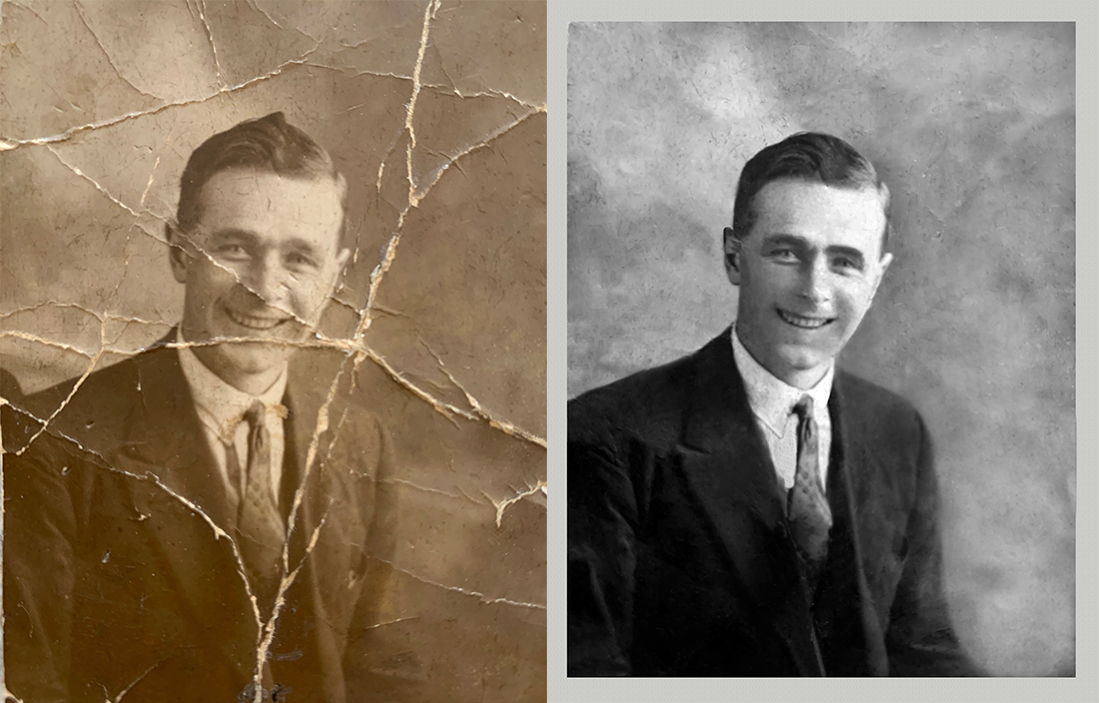
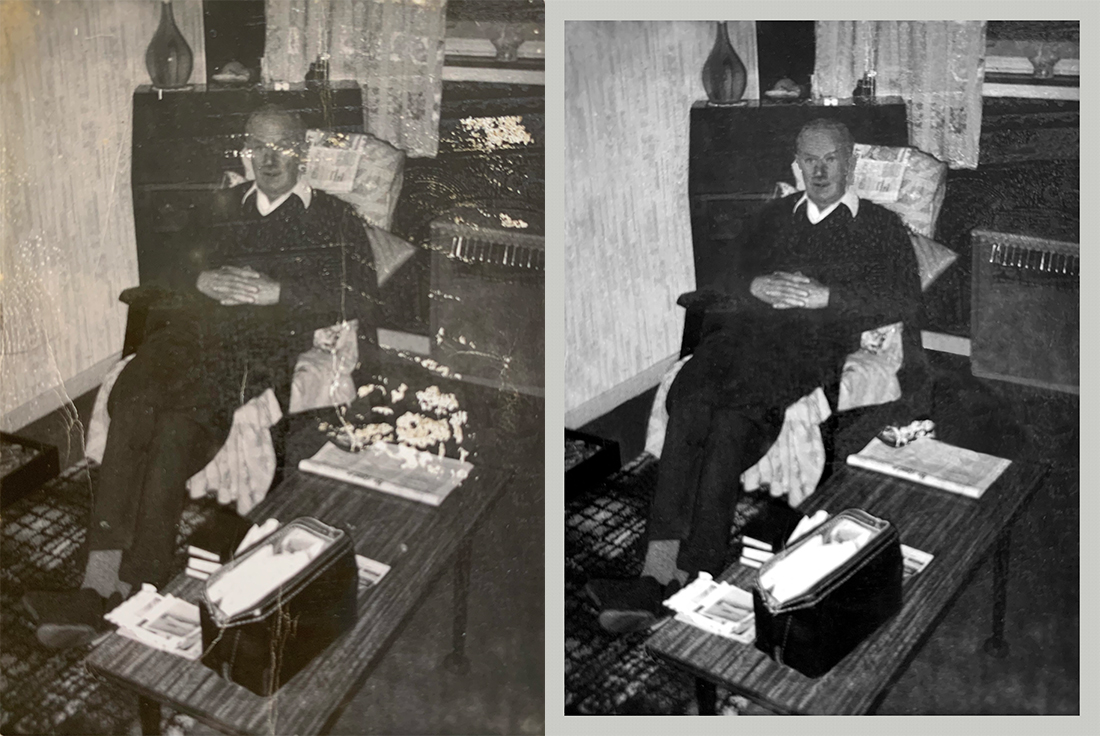
Repair tears, scratches, spots, stains, faded tones, color casts, and other damage while preserving the character of the original photograph.

  • Damage and scratch repair
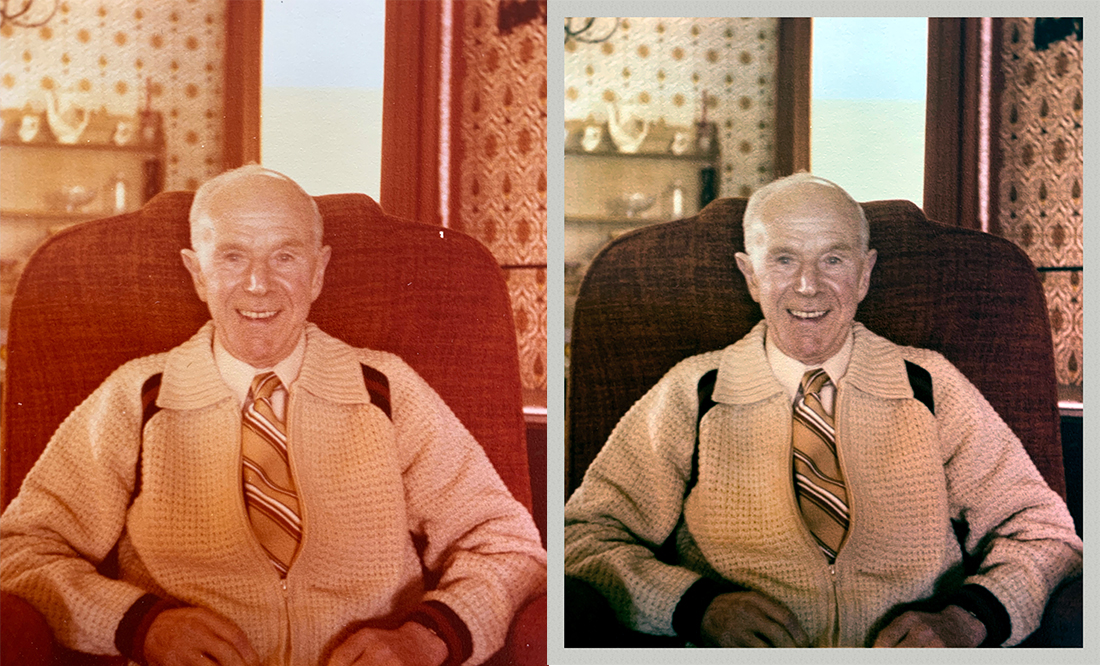
  • Fade and color correction
  • Repair of missing areas when possible
  • Black-and-white colorization
  • Print-ready preparation
02

Photo Editing and Retouching

Refine existing photographs or adapt them for a new purpose through detailed, natural-looking Photoshop work.

  • Object removal
  • Background cleanup or replacement
  • Portrait retouching
  • Color and exposure correction
  • Composite and creative edits

Previous Work

Restoration examples

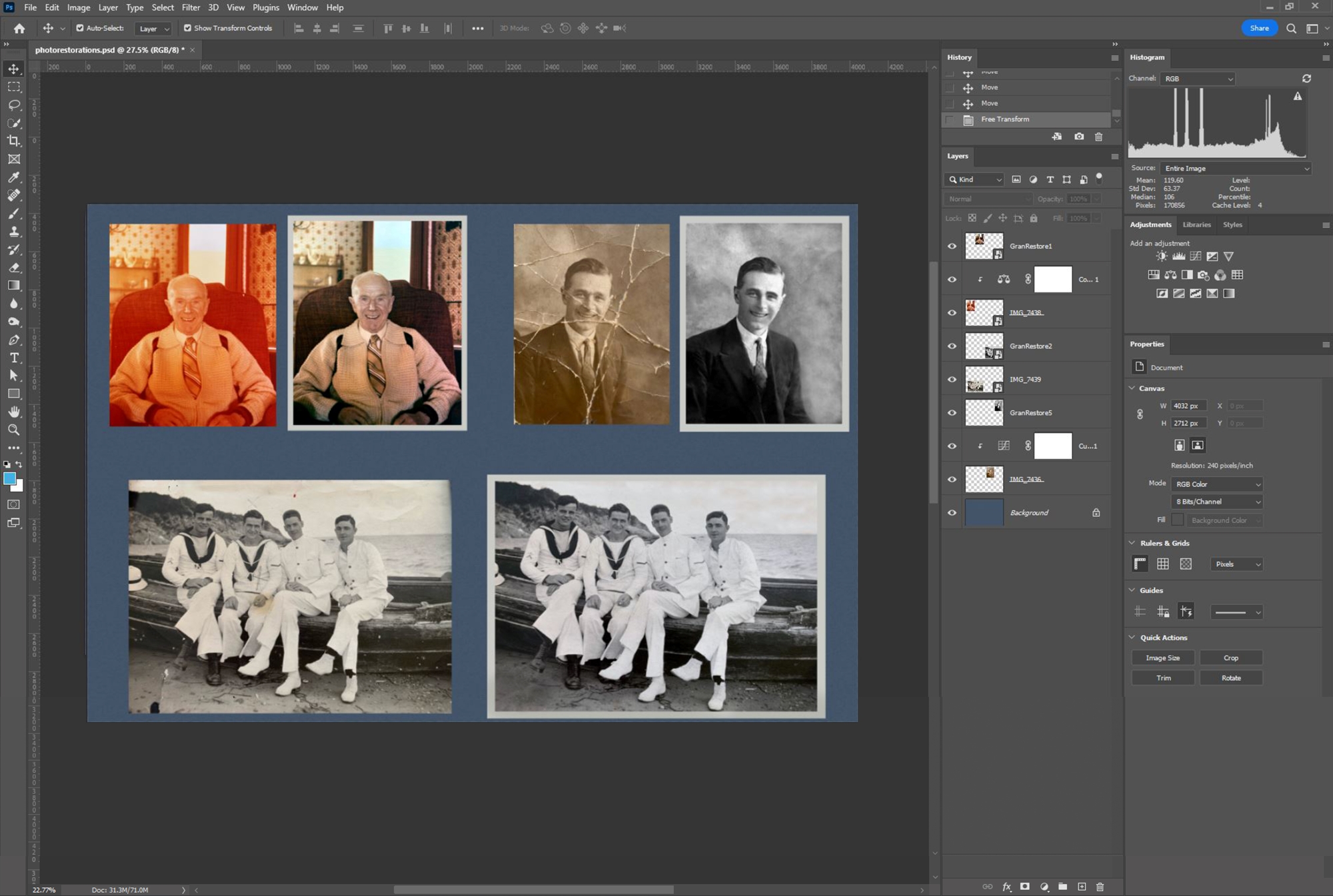
Each photograph presents different damage and detail. These examples show how careful digital restoration can recover clarity, tone, and visual balance.

Common Improvements

What can be restored

Fading

Recover contrast, density, and more natural-looking tones.

Scratches and Tears

Repair distracting surface damage and separated areas.

Spots and Stains

Remove marks caused by age, handling, moisture, or storage.

Color Problems

Correct unwanted color casts or add carefully interpreted color.

Missing Detail

Reconstruct damaged areas when enough surrounding information remains.

Distracting Elements

Clean up backgrounds and remove selected objects when appropriate.

Damaged photograph being restored in Adobe Photoshop

Preparing Your Photograph

Start with the best copy available

The quality of the source image has a major effect on what can be recovered. For the best result:

  • Scan the original photograph when possible.
  • Use the highest resolution available.
  • Avoid screenshots and compressed social media copies.
  • If scanning is unavailable, photograph the original evenly in good light.
  • Keep the physical original safe. All restoration work is completed digitally.

The Process

From damaged original to finished file

  1. 01

    Send the Photograph

    Provide the highest-quality scan or digital copy available.

  2. 02

    Assessment

    I review the damage and confirm the possibilities, estimate, and timeline.

  3. 03

    Restore

    I repair damage, rebuild detail where possible, and correct tone or color.

  4. 04

    Review and Deliver

    After the agreed revisions, you receive the completed high-resolution digital file.

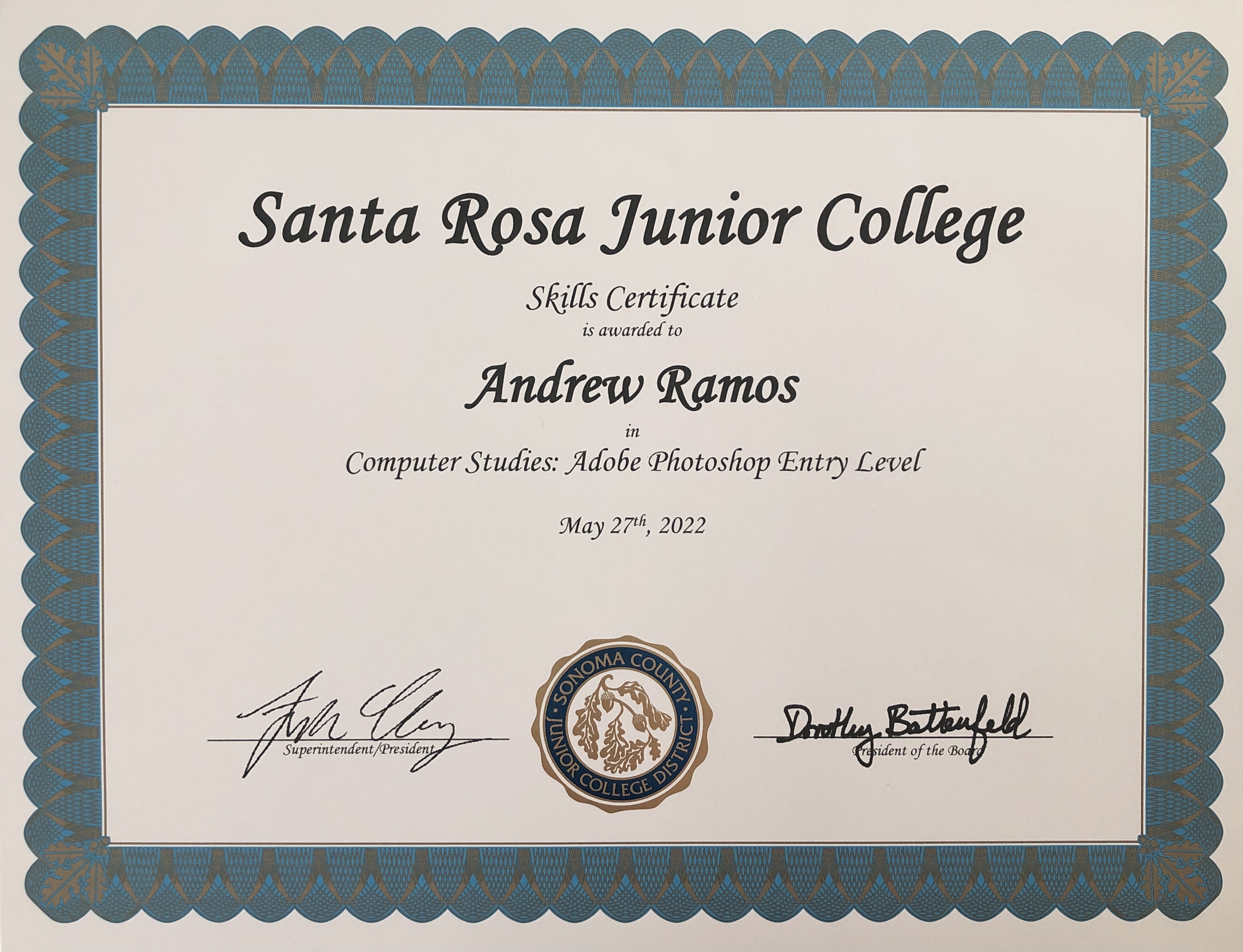
Photoshop Skills Certificate earned by Andrew Ramos

Training and Experience

Built on years of Photoshop work

I began learning Photoshop in middle school and continued through advanced coursework at Santa Rosa Junior College, where I earned a Photoshop skills certificate. Since then, I have applied those techniques to family photographs, creative projects, professional images, and restoration work.

Looking for photography instead of editing? Visit my photography services.

Custom Estimates

Tell me about the photograph you want restored.

Pricing depends on the amount of damage, missing detail, colorization, editing complexity, and intended print size.

Request an Estimate